2. Find and add PCs / Macs where agent is installed
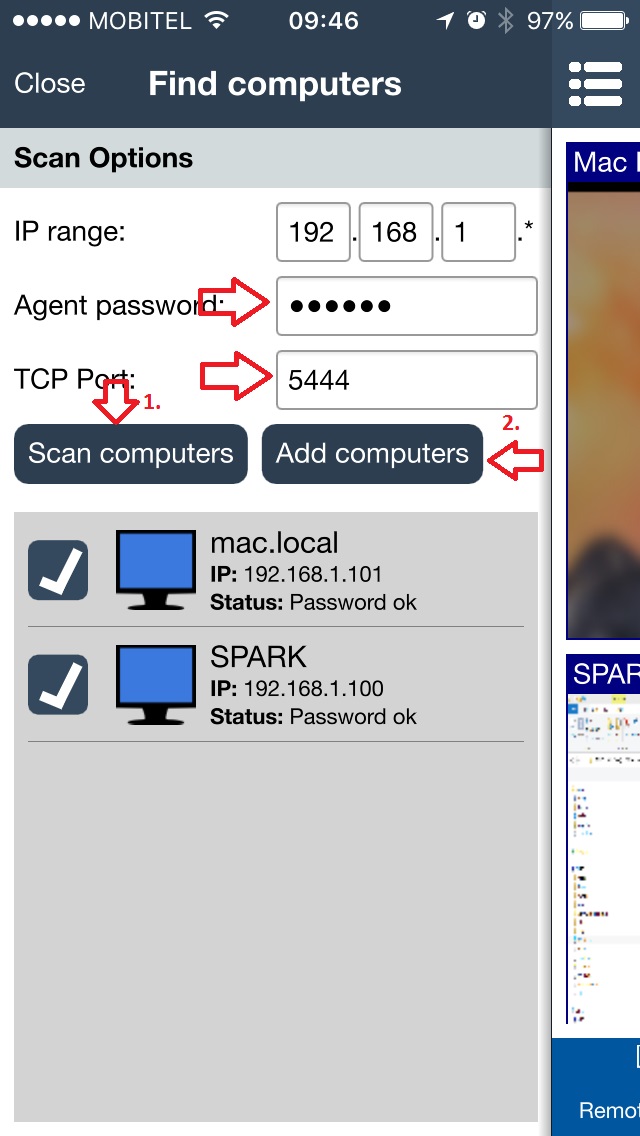
Open the console on your smartphone or tablet and click on "Find computers":
On the next screen enter the agent's password that you choose in previous step when installing an agent.
Tap on "Scan computers" button and wait few seconds that network PCs are discovered. If nothing is discovered please check your WiFi connection and tap on "Scan computers" again.
Please note that you can scan PCs only on your local network. If they are not discovered then you will need to add them manually (described in next chapter).
If they are discovered you can select which to add and then tap on "Add computers".